
Catch A Pet And Ride it Controls
Same loop on four platforms — the HUD just moves.
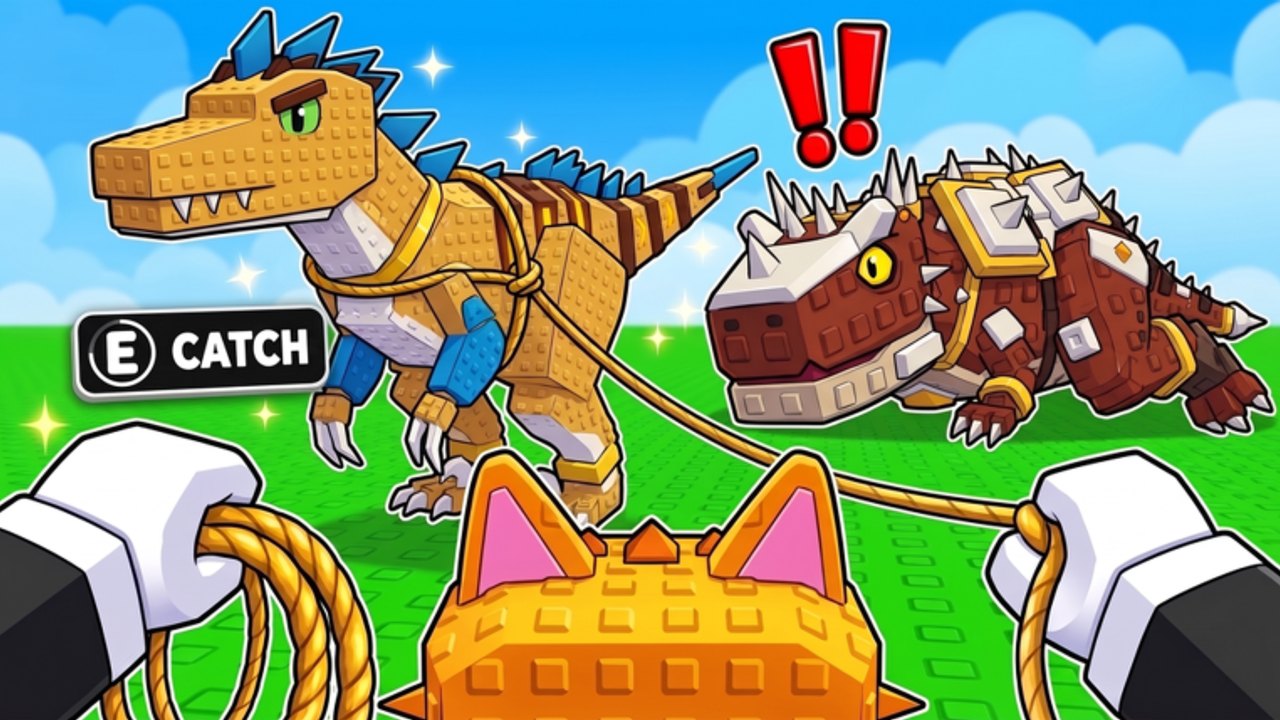
Catch A Pet And Ride it supports desktop, console, mobile, and tablet. The loop does not change: move, CATCH, reel, ride, Shop, dummy. The buttons do. This page is the input map so you stop missing the code box on a phone and stop throwing the lasso with the camera stick on a pad.
There is no official published keymap from MeowLabs. What follows is the HUD the game actually shows: a CATCH prompt in first person, a Shop button on the left, a ride prompt on banked pets, and a TrainTap button on the dummy. If a patch moves an icon, the prompt text is still the source of truth — press whatever the HUD highlights.
Desktop (keyboard and mouse)
- Move — WASD, default Roblox.
- Camera — mouse. First-person CATCH art is a lasso-in-hands view; third person is easier for Guardian pathing. Toggle with the usual Roblox camera cycle if you need eyes on the pen.
- Lasso / CATCH — click when the CATCH prompt is up. Give the throw a beat to land.
- Ride — interact (default
Eon many Roblox builds) when the mount prompt shows on a banked pet. - Shop — left HUD button. Scroll to lassos, chests, boosts, then the code box.
- Dummy — click the TrainTap button.
- Jump — space, only to hop clutter, not to dodge the Guardian. The Guardian is a chase, not a parkour check. See escape the Guardian.
Close chat before a throw. Enter in chat is how PC players eat a CATCH.
Mobile and tablet
- Move — left thumb stick.
- CATCH — tap the prompt. Landscape keeps the prompt off the jump button.
- Ride — tap the interact prompt on the pet.
- Shop — bag / store icon on the left. Scroll with a vertical swipe. The code row sits under the fold; a trailing space from the on-screen keyboard will fail WELCOME.
- Dummy — tap TrainTap. A thumb on the dummy and a thumb on movement is possible; a thumb on Shop during a chase is a wipe.
Rotate to landscape for catching. Portrait clips the CATCH prompt on smaller phones. Tablet is the same UI with more margin.
Console
- Move / camera — sticks.
- CATCH — the face button the HUD labels when the prompt is live.
- Ride / interact — the interact face button on a banked pet.
- Shop — UI cursor to the left button, then scroll. Virtual keyboard for codes: watch caps.
WELCOMEis uppercase. - Dummy — UI cursor on TrainTap, or the confirm button when focused.
Console players should not open the Roblox overlay mid-chase. The six-player server will happily tag you while you sit in the menu.
Shared habits that beat platform
- Shop at spawn, never in the field.
- Ride before the second throw. How to ride.
- Dummy between banks, not during a rope. Lasso Power.
- One catch per run. How to catch.
Accessibility and comfort
Shift lock on PC helps the lasso camera. Lower graphics if far-zone grass stutters; a stutter during a Guardian line is a tag. Mute music if you need the reel cue. There is no voice chat on this experience.
If a control “broke” after an update, it is usually a HUD overlap: Shop open, chat open, or TrainTap covering CATCH. Close widgets, remount, throw again. New zone patches can add a button; they rarely delete the loop.
When you teach a friend, do not start with Rainbow. Start with WASD / thumb stick, CATCH, run home, E / interact to ride. That is the whole tutorial the title already gave them.
Frequently Asked Questions
Quick answers to the most common questions.
What button throws the lasso?
The CATCH prompt. Click on PC, tap on mobile, press the highlighted face button on console. There is no hidden key.
How do I ride on keyboard?
Bank the pet, walk up, press the interact key when the ride prompt shows (often E). Details: how to ride.
Where is Shop on mobile?
Left side of the HUD. Scroll to the bottom for codes. Use landscape so the last row is reachable.
Can I play Catch A Pet And Ride it on console?
Yes. The description lists console with desktop, mobile, and tablet. Servers still cap at six players.